
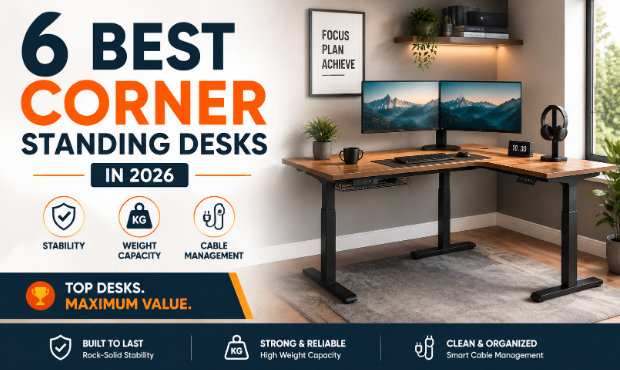
A corner standing desk earns its keep on three things: whether the frame stays rigid at full height, how much weight it carries without flexing, and whether its cables stay organized instead of tangled. Secretlab, Desky, and Progressive Desk lead this list on exactly those points.
The corner joint is what most buyers overlook. A single continuous desktop resists twisting far better than two surfaces meeting at 90 degrees, which is why leg placement and motor count matter more here than on a straight desk. The six below were chosen for how directly they solve that problem, not for brand recognition alone.
No affiliate links here and no commissions either. This roundup was written independently, and nothing below reflects payment to feature or highlight any product mentioned.
TL;DR
- Secretlab – Best Cable Management for gaming and streaming setups – an integrated power supply column replaces the usual cable tray and extension cords
- Desky – Best L-Shaped Standing Desk for home offices and multi-monitor work – triple motors, a 496 lb rated capacity, and a purpose-built cable accessory
- Progressive Desk – Best Customizable Corner Desk for buyers who want a specific look – eight desktop finishes and a three-leg frame with a 15-year warranty
- The bottom line: a third lifting column at the corner joint, not a higher spec sheet number alone, is what keeps an L-shaped desk from flexing under a real multi-monitor load.
Why L-Shaped Standing Desks Can Wobble More Than Straight Desks
A corner desk fails differently than a straight one, and the problems start at the joint.
Reason #1: The effect of the corner joint
Two desktop surfaces meeting at a right angle create a natural weak point. Unless that joint sits directly above a supporting leg, the two panels can flex independently under load, especially near where a monitor arm or PC tower sits close to the seam.
Reason #2: What happens when the desk rises
Sitting height hides sloppy engineering. As the desk climbs, more of the frame’s mass cantilevers above a smaller base, so any play in the joints becomes obvious at 47 inches in a way it wasn’t at 27.
Reason #3: Why frame geometry matters
A rectangular desk supports one surface from four corners. A corner desk supports two intersecting surfaces, and how the legs line up with actual weight distribution decides whether the frame stays square or twists.
Reason #4: Two-leg, three-leg, and four-leg designs
Leg count is not a strict hierarchy; it’s a question of where the support actually sits relative to the joint. The ANSI/BIFMA X5.5 stability test that governs desk certification checks frame rigidity under lateral load rather than counting legs, which is why placement relative to the joint decides the outcome more than the leg total does.
A two-leg base with a bolt-on extension, Secretlab’s approach, leans on the main desk’s structure alone. A three-leg design puts a lifting column directly under the corner joint itself, the approach behind Desky, Progressive Desk, Fezibo, Autonomous, and Vernal below, and the one most corner desks use because the extra column sits right where the joint needs it.
A smaller number of four-leg frames add a second support point further along one run, a niche option for unusually long dual-tower setups rather than a requirement for stability.
The 6 Corner Standing Desks We Recommend for Stable, Organized Setups
| # | Desk | Award | Motors | Rated Capacity | Cable Management |
| 1 | Secretlab Magnus Pro + L-Shaped Extension | Best Cable Management | Dual (main desk) | 265 lbs desktop / 220 lbs extension | Integrated power supply column |
| 2 | Desky L-Shaped Standing Desk | Best L-Shaped Standing Desk | Triple | 496 lbs | Cable & power channel accessory |
| 3 | Progressive Desk Corner Ryzer | Best Customizable Corner Desk | Triple | 330 lbs | Not a dedicated system |
| 4 | Fezibo Triple Motor L-Shaped | Best Value for Money | Triple | ~330 lbs | Built-in LED strip and outlets |
| 5 | Autonomous SmartDesk Corner | Fastest Height Adjustment | Triple, synchronized | 400 lbs | Included cable tray |
| 6 | Vernal Core3 L-Shaped | Best Newcomer | Triple | 397 lbs | 2 cable trays, 3 desktop grommets |
1. Secretlab Magnus Pro + L-Shaped Extension – Best Cable Management
Secretlab brings the cable discipline it’s known for in gaming chairs to a standing desk. An integrated power supply column replaces the usual tray and extension cords on a dual-motor frame rated to 265 lbs across 25.6 to 49.2 inches, from $799.
The optional MAGNUS L-Shaped Extension bolts on a 63.6 by 23-inch return rated to a further 220 lbs, though only Secretlab’s own desk supports it.
Highlights:
- Integrated power supply column eliminates the usual cable tray and extension cords
- 4.8-star average across 8,000+ reviews on its own product listing
Drawbacks:
- Corner capacity trails the purpose-built three-leg desks on this list
- Electronics warranty is 1 year against a 5-year frame and motor warranty
Ideal for: Gamers and streamers who want a tidy cable setup first and maximum corner capacity second.
Contact Secretlab:
Address: 5350 Harold Gatty Dr, Salt Lake City, UT 84116, USA
Phone: +1 213-748-6979
Instagram: instagram.com/secretlab
2. Desky L-Shaped Standing Desk – Best L-Shaped Standing Desk
Desky’s L-Shaped Standing Desk runs three motors instead of the usual two, lifting a rated 496 lbs at 1.4 inches per second under 40db, on a cold-rolled steel frame certified to BIFMA, EESS, TÜV Rheinland and AFRDI. The same frame is also sold with a hardwood desktop across eight finishes from $1,419, a premium step up from the $1,089 L-shaped laminate reviewed here.
Cable routing runs through the Integrated Cable & Power Channel, a purpose-built accessory sold separately for the frame, supporting up to nine devices once fitted. CNN Underscored named the Integrated Cable & Power Channel among its cable-organization picks, the same accessory fitted here.
Reviewer feedback skews positive on Trustpilot.
“Great product, super desk to work from home. I’ve ordered the ‘L’ model and it fits perfectly for my setup. Very good quality and strong materials. I recommend 100% this enterprise. Quick shipping, good price.” Stéphane, 5-star Trustpilot review, July 2026
Highlights:
- Triple-motor frame rated to 496 lbs
- BIFMA, EESS, TÜV Rheinland, and AFRDI certified, tested to 20,000+ cycles
- Cable & Power Channel accessory supports up to 9 devices once fitted
Drawbacks:
- Premium pricing versus entry-level corner desks on this list
- Cable channel is a separately sold accessory, not standard
Ideal for: Multi-monitor home offices and content creators who need real surface area without giving up smart controls.
Contact Desky:
Address: 500 Red Stag Way, Sweetwater, TN, USA
Phone: +1 800 696 9017
Instagram: instagram.com/deskyau
Watch Desky L-Shape Overview: https://www.youtube.com/watch?v=CJ0FYr_tOhM
3. Progressive Desk Corner Ryzer – Best Customizable Corner Desk
The Corner Ryzer runs a dedicated three-leg lifting system built for the joint itself, rated to 330 lbs across 23.6 to 49.1 inches, with four presets and anti-collision detection. Buyers choose from eight desktop finishes and three frame colors, backed by a 15-year warranty, the longest on this list.
Highlights:
- Dedicated three-leg corner frame rated to 330 lbs
- Eight desktop finishes and three frame colors across three sizes
- 15-year warranty
Drawbacks:
- No dedicated cable management system built into the frame
- Starting price sits above the budget end of this list
Ideal for: Buyers who want a specific look and are willing to pay more for finish choice and warranty length.
Contact Progressive Desk:
Address: 11171 Horseshoe Way, Richmond, BC, Canada
Phone: 1-800-828-9414
Instagram: instagram.com/progressivedesk
4. Fezibo Triple Motor L-Shaped Standing Desk – Best Value for Money
Fezibo brings a triple motor system to a genuinely budget price, rated around 330 lbs, with a 63-by-48-inch desktop and a built-in LED strip and power outlets. It was listed at $229.99 at the time of writing, down from $799.99. Coverage is shorter, though: 2 years on motors and electronics against 10-year warranties elsewhere on this list.
Highlights:
- Triple motor system at an entry-level price
- Built-in LED strip and power outlets, not sold separately
Drawbacks:
- Shorter motor and electronics warranty than most desks here
- No published height range in the spec sheet, unlike the other desks on this list
Ideal for: Budget-conscious buyers who want triple-motor performance without premium pricing.
Contact Fezibo:
Address: 6145 Spring Mountain Road, Suite 202, Las Vegas, NV 89146, USA
Phone: +1 888-253-4559
Instagram: instagram.com/fezibo_home
5. Autonomous SmartDesk Corner – Fastest Height Adjustment
Autonomous built its corner desk around speed. A synchronized triple-motor frame lifts at 2.3 inches per second, faster than the roughly 1.4 inches per second typical elsewhere, while staying rated to 400 lbs across 29.4 to 48 inches.
The 77-inch run with a reversible 35-inch return fits either side of a room, and a cable tray ships in the box.
“Assembly guide was incredibly unclear and screw holes weren’t properly drilled. Support tried their best, but I wouldn’t recommend people stress themselves out when there is better options. The cable management that comes with is incredibly poor quality as well.” JR, 1-star verified Trustpilot review, August 2026
By the way, Autonomous has drawn verified complaints on Trustpilot about unclear assembly guides and cable-management quality.
Highlights:
- Fastest lift speed on this list at 2.3 inches per second
- 400 lb rated capacity with synchronized triple motors
- Cable tray included at no extra cost
Drawbacks:
- Height range tops out at 48 inches, narrower than most competitors here
- Some verified buyers report unclear assembly guides and inconsistent quality control
Ideal for: Users who adjust height often and don’t want to wait on each transition.
Contact Autonomous:
Address: 325 W 38th St, New York, NY 10018, USA
Phone: +1 844-949-3879
Instagram: instagram.com/autonomous
6. Vernal Core3 L-Shaped Standing Desk – Best Newcomer
Vernal is one of the newer names here, and the Core3 makes a strong first impression on paper. Three motors lift a rated 397 lbs across 23.9 to 49.4 inches, with two cable trays and three desktop grommets. Pricing lands at $699.99 with a 15-year warranty, tied for longest here.
What it lacks is a track record: it’s a factory-direct brand under the same ownership as Fezibo, still building the review history older brands already have.
Highlights:
- Triple-motor frame rated to 397 lbs at a competitive price
- 15-year warranty, tied for longest here
Drawbacks:
- No genuine solid-wood desktop option
- Newer brand still building a long-term reliability track record
Ideal for: Early adopters comfortable buying from a newer, factory-direct brand for strong specs at a fair price.
Contact Vernal:
Address: 6145 Spring Mountain Road, Suite 202, Las Vegas, NV 89146, USA
Phone: +1 213-429-4099
Instagram: instagram.com/vernal_space
What Makes a Corner Standing Desk Stable at Full Height?
Weight capacity on a spec sheet only tells part of the story. Five factors decide whether a corner desk actually feels solid once it’s in your office.
A. Number of lifting columns
A desk with three motors spreads load across three points instead of two, which matters most right at the corner joint, where a two-leg frame has no direct support underneath it.
B. Frame thickness and construction
Steel gauge decides how much a frame flexes under lateral pressure, not just vertical weight. Cold-rolled steel frames, like Desky’s, resist twisting better than lighter-gauge alternatives.
C. Desktop thickness
A 1-inch desktop, the thickness Desky and others here use, resists flexing under a monitor arm better than the 0.7- to 0.75-inch boards common on budget desks.
D. Adjustable feet and uneven floors
Leveling feet compensate for floors that aren’t perfectly flat, a common source of perceived wobble that has nothing to do with the desk itself.
E. Stability while typing versus leaning
A desk can feel solid while you type and still flex when you lean on a corner to stand up, so test both.
Stability Tests and Cable Checks to Perform After Assembly
A few minutes of testing right after assembly catches problems before they become a warranty headache.
-
Test the desk empty
Raise and lower the desk a few times with nothing on it, confirming both sides of a triple-motor frame rise in sync before you add weight.
-
Test it with your actual equipment
Rated capacity is a maximum, not a guarantee of zero flex near that number, so load the desk with your real monitors and tower before deciding it feels solid.
-
Raise it incrementally
Check stability at the quarter, half, and three-quarter marks instead of jumping straight to maximum, since some frames flex more mid-range than at the top.
-
Check cables at maximum height
Cable channels and trays need testing fully extended, since slack at sitting height can pull taut or snag at standing height.
-
Listen for motor or frame abnormalities
Grinding noises or one side rising faster than the other point to a frame that isn’t square, and catching it in the first week makes any warranty claim far simpler.
FAQs
Are corner standing desks more stable than straight desks?
Not automatically. A straight desk has no corner joint to flex, but a well-built corner desk with a three-leg frame and thick desktop can match one. Leg placement and motor count decide it, not the shape.
How much weight can a corner standing desk hold?
Rated capacity varies widely, from under 200 lbs on entry-level models to over 400 lbs on the triple-motor desks here. Check it against your actual equipment weight rather than assuming a corner shape means high capacity.
Can I assemble a corner standing desk alone?
Most desks here are designed for near-tool-free assembly by one person, though the larger panels benefit from a second set of hands to line up the corner joint accurately.
What makes Desky’s L-Shaped desk different from the other corner desks on this list?
Its 496 lb rating is the highest on this list, and it carries a BIFMA, EESS, TÜV Rheinland, and AFRDI certification stack that isn’t listed for the other five desks here, on top of the Cable & Power Channel accessory that beats a generic tray.
Is Desky’s corner desk a good fit for a multi-monitor home office?
Yes, for setups with two or more monitors, a PC tower, and the clutter that a straight desk struggles to organize. The rated capacity and cable channel accessory are built for that use case, not a single-monitor setup.
The Bottom Line
The right corner standing desk comes down to which problem matters most: cable clutter, raw weight capacity, or finish and warranty flexibility. Secretlab solves cable management best, Desky pairs certified capacity with a dedicated cable accessory, and Progressive Desk gives buyers the most control over the finished look.
Test any of them empty, then loaded, then at full height before calling the setup finished. A desk that passes all three checks in your own office is worth more than any spec sheet number.
 Patricko Aaronickson has opinions about home maintenance essentials. Informed ones, backed by real experience — but opinions nonetheless, and they doesn't try to disguise them as neutral observation. They thinks a lot of what gets written about Home Maintenance Essentials, Home Repair Tips, Interior Design Inspirations is either too cautious to be useful or too confident to be credible, and they's work tends to sit deliberately in the space between those two failure modes.
Reading Patricko's pieces, you get the sense of someone who has thought about this stuff seriously and arrived at actual conclusions — not just collected a range of perspectives and declined to pick one. That can be uncomfortable when they lands on something you disagree with. It's also why the writing is worth engaging with. Patricko isn't interested in telling people what they want to hear. They is interested in telling them what they actually thinks, with enough reasoning behind it that you can push back if you want to. That kind of intellectual honesty is rarer than it should be.
What Patricko is best at is the moment when a familiar topic reveals something unexpected — when the conventional wisdom turns out to be slightly off, or when a small shift in framing changes everything. They finds those moments consistently, which is why they's work tends to generate real discussion rather than just passive agreement.
Patricko Aaronickson has opinions about home maintenance essentials. Informed ones, backed by real experience — but opinions nonetheless, and they doesn't try to disguise them as neutral observation. They thinks a lot of what gets written about Home Maintenance Essentials, Home Repair Tips, Interior Design Inspirations is either too cautious to be useful or too confident to be credible, and they's work tends to sit deliberately in the space between those two failure modes.
Reading Patricko's pieces, you get the sense of someone who has thought about this stuff seriously and arrived at actual conclusions — not just collected a range of perspectives and declined to pick one. That can be uncomfortable when they lands on something you disagree with. It's also why the writing is worth engaging with. Patricko isn't interested in telling people what they want to hear. They is interested in telling them what they actually thinks, with enough reasoning behind it that you can push back if you want to. That kind of intellectual honesty is rarer than it should be.
What Patricko is best at is the moment when a familiar topic reveals something unexpected — when the conventional wisdom turns out to be slightly off, or when a small shift in framing changes everything. They finds those moments consistently, which is why they's work tends to generate real discussion rather than just passive agreement.